
Editions in Windows 10:
- Windows 10 Home
- Windows 10 Home N
- Windows 10 Home Single Language
- Windows 10 Education
- Windows 10 Education N
- Windows 10 Pro
- Windows 10 Pro N
- Windows 10 Pro Education
- Windows 10 Pro Education N
- Windows 10 Pro for Workstations
- Windows 10 Pro N for Workstations
To find your Windows 10 Edition:
STEP 1: Click on Start and select Settings.

STEP 2: Select Update and Security

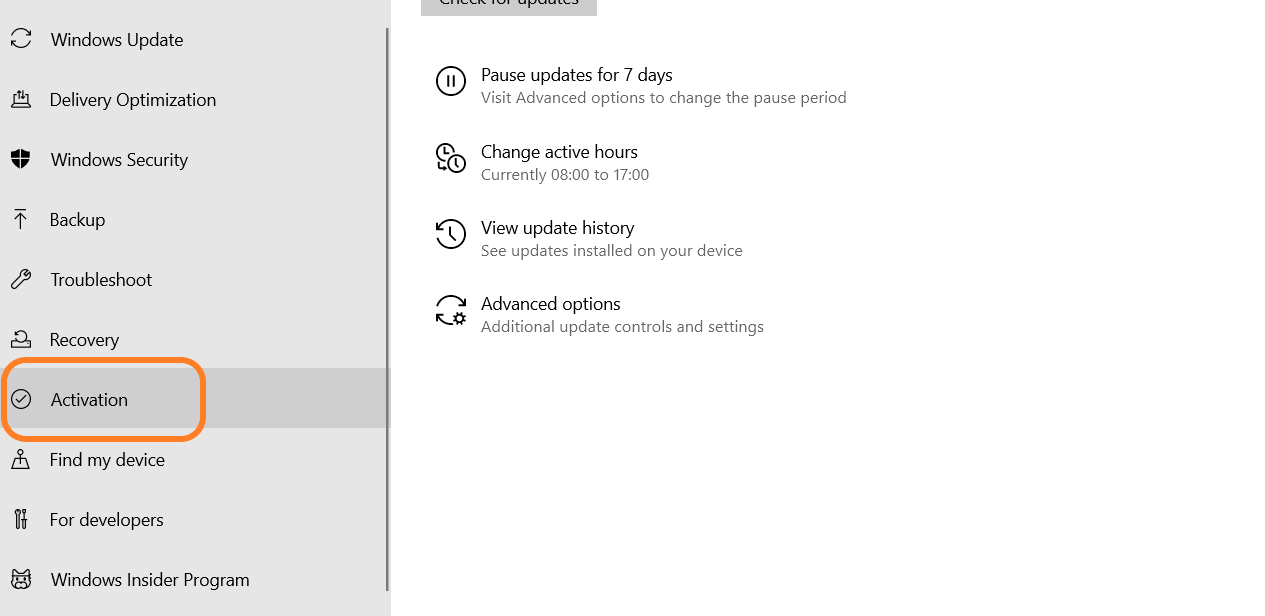
STEP 3: Go to Activation
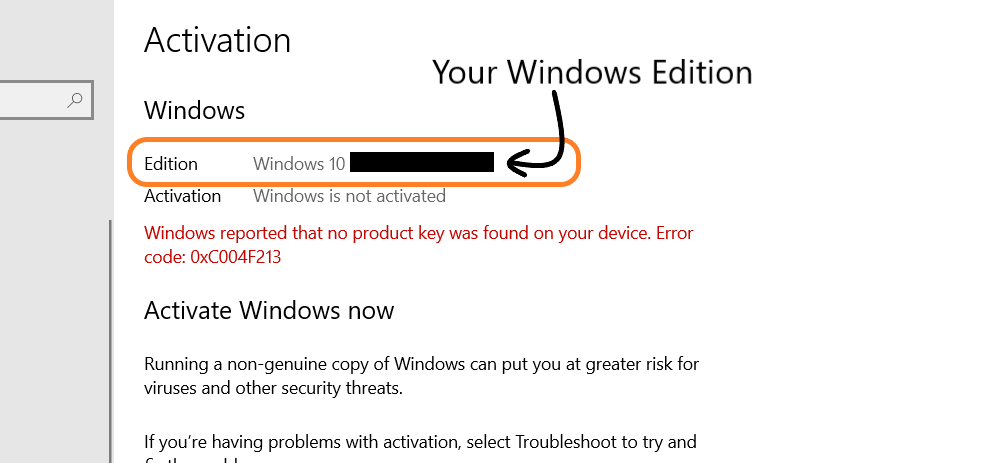
There you can find the Edition of Your Windows.
